 Most viewed - Hi-rise clip-ons install Most viewed - Hi-rise clip-ons install |
...after (hi-rise clip-ons).684 views
|
|

Before (stock clip-ons)...666 views
|
|
Before...615 views
|
|
...after.612 views
|
|
528 viewsHi-riser is slipped on the fork tube and here is the bar in stock form.
|
|

Before...527 views
|
|

526 viewsUpper triple tree removed. Use a 6mm Allen wrench to loosen all clamping bolts. Alternately tap the bottom of the clip-ons to walk the triple tree and clip-ons up. I used a block of wood positioned under the clip-on and tapped it with a rubber mallet -- just in case I missed the wood!
|
|
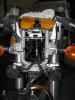
524 viewsThe view of the installed ladder and hi-risers. Headlight goes back on and the gauge cluster and I'm ready to ride a little more comfortably.
|
|
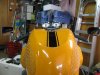
Before...523 views
|
|

523 viewsDetail of the top triple tree with stock clip-ons.
|
|
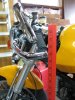
Before...519 viewsYard stick shows 32" at bar-end mirror mount.
|
|
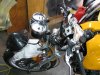
517 viewsIn order to remove the upper triple-tree the headlight needs to be removed and then the U-shaped ladder part that the headlight attaches to is then removed. Remove the two nuts at the bottom of the ladder then lift it up. Also, disconnect the headlight connector and put the headlight out of the way.
|
|
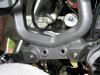
509 viewsDetail of the bottom of the unbolted ladder.
|
|
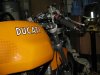
...after.508 views
|
|

507 viewsMy fingers are pointing to the two pins that fit into the two rubber grommets that are part of the upper triple tree (visible in the foreground).
|
|

507 viewsNow the bar-end mount is up two inches at 34" high.
|
|
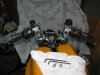
501 viewsHi-risers and controls installed, ready to put the bike back together.
|
|
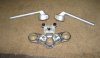
487 viewsJust a picture of the stock '06 clip-ons and the bottom side of the upper triple tree.
|
|
484 viewsOther side of the right bar showing another locating hole.
|
|

...after.484 viewsThe bottom of the switch is at 36".
|
|
|
|




