 Most viewed Most viewed |
507 views
|
|

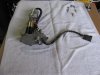
507 viewsUse a drift to tap out the push rod.
|
|

506 views
|
|
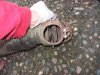
506 viewsThis is the flapper opened 1/2-way. So some heated air will enter the cabin and some will exit to the atmosphere.
|
|

506 viewsThe end result, push rod out.
|
|
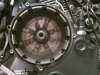
506 viewsHere's how the clutch basket looked. Those streaks are LOTS of thread locker applied at the factory. It leaked out the back side as well. After removing the eight retaining bolts I had to use a drift and tap a couple of the ears on the basket to gently break it free.
|
|

506 viewsPermatex 2A gasket silicone is what I smeared on the mating surfaces of the case half instead of using a gasket.
|
|

505 views
|
|
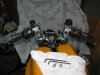
505 viewsHi-risers and controls installed, ready to put the bike back together.
|
|
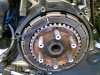
505 viewsI placed a friction plate back in to measure the gap. I had to use an Allen wrench: 2.5mm. Not good. Max gap is supposed to be no more than 0.6mm!
|
|

504 viewsEnjoying the Oregon coast with the Li'l Monkey.
|
|

504 viewsFirst bath.
|
|
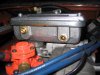
504 viewsClose-up of the left side of the breather.
|
|
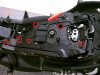
504 views"Tool tray" needs to be removed for tucking the wires in on the right side. There are six of the 4mm fasteners holding it down.
|
|
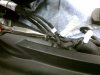
504 viewsRemoving the one-way retaining washer is a pain in the butt. Chances are very good that you could end up breaking the pin...not that it's a big deal if that happens, honestly. I did this on the left side to remove the turn signal electrical connector away from the rest of the harness, then pushed the retainer back on.
|
|
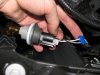
Getting the power ready for the turn signal LED array.503 viewsUse a BLUE wire tap-in like what I show. The ones that are RED are for smaller wire sizes and the YELLOW ones are for larger wires. I prefer these because when you insert the insulated male connector it makes a positive fit and keeps the tap locked on to the wire. -- Left side: Tap into the white wire with the GREEN stripe. -- Right side: Tap into the white wire with the BROWN stripe. -- FYI for both lights: The black wire [on the outside] is ground, the middle wire is the parking light and the other outside wire is the turn signal.
|
|

503 viewsLower bolt. Use a 10mm Allen wrench to remove the bolts. Though they already have molyb (grease B using Ducati nomenclature) smeared on them I (later) added a little bit more.
|
|
502 views
|
|
502 views
|
|

502 views
|
|
| 3332 files on 167 page(s) |
 |
31 | |
|





