 Last additions - Routan fog install Last additions - Routan fog install |
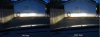
Fogs comparison with low beams on503 viewsLeft picture is with the fogs off -- Right picture is with the fogs on.Apr 03, 2012
|
|
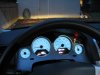
501 viewsView from the driver's seat with the fogs on. Notice the green "fog lights on" indicator to the right of the speedometer and below the red "fasten seat belt" indicator. I just finished adjusting the fog lights. The top of the light you see on the building wall is 14". If I went by the instructions it would've been 13" but I wanted just a little more distance.Apr 03, 2012
|
|
470 viewsFog harness using a hook on the right side radiator fan surround.Mar 10, 2012
|
|
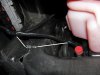
520 viewsWhere I zip-tied the left side of the harness. It comes down near the radiator over-flow container (the pink bottle). Don't use the aluminum object to the left, that's the heat-sink for the coils!Mar 10, 2012
|
|
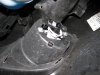
517 viewsRight fog bolted in.Mar 10, 2012
|
|
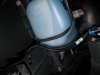
546 viewsFog wiring harness, right side, zip-tie location.Mar 10, 2012
|
|
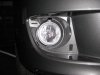
594 viewsRight fog light installed, front view. Note that adjusting screw is always at the top.Mar 10, 2012
|
|
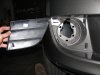
547 viewsStock fascia blank removed, right side. There are four hooks (one at each corner) that hold it in. After trying to be careful removing the right side, I said to hell with it and cut the tabs on the left side and threw away the blanks.Mar 10, 2012
|
|
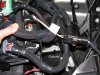
542 viewsAll wired up, fog harness plugged in & grounded, and the fuse box ready to be re-installed. I used a stock grounding point under the module per the Routan instructions. The Chrysler instructions show the ground attached to the negative battery cable.Mar 10, 2012
|
|
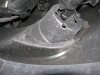
575 viewsBack side of the right fog light housing.Mar 10, 2012
|
|
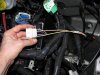
504 viewsHow it looks with the plug put all back together.Mar 10, 2012
|
|
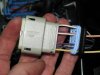
503 viewsHow it looks all wired up.Mar 10, 2012
|
|
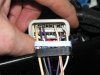
540 viewsWires snapped in place.Mar 10, 2012
|
|
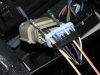
536 viewsFeed your pigtail wires in, white with yellow stripe on the left in the #16 hole and the white with orange stripe on the right in the #11 hole. The numbers are on the outside of the black plug.Mar 10, 2012
|
|
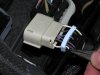
543 viewsUsing needle-nosed pliers remove the tits from inside the plug backing for the #16 and #11 holes. Don't remove the others as they fill the holes in the seal.Mar 10, 2012
|
|
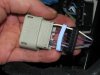
569 viewsSeparate the bottom plug (black) and the seal (light blue) within. You'll need to unwrap the black electrical tape on the wiring and throw it away. This will give you the needed slack in the wiring.Mar 10, 2012
|
|
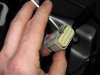
551 viewsNext, use a small screwdriver to lift the inner plug out. It only moves a few millimeters so you don't need to completely remove it!Mar 10, 2012
|
|
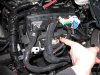
569 viewsHere's the plug to be modified. I found it unnecessary to remove ALL of the plugs per the instructions but you can. Remember to lift the red tab up to unlock the connector.Mar 10, 2012
|
|
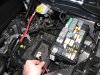
550 viewsTo make life MUCH easier just remove the battery. Also remove the positive power lead (red wire I'm holding) from the fuse box as well as the cover.Mar 10, 2012
|
|
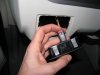
511 viewsNew light switch plugged in. See the red tab? It's in the 'unlocked' position...Mar 10, 2012
|
|
|
|




