 Last additions - How-to Last additions - How-to |
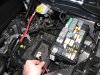
574 viewsTo make life MUCH easier just remove the battery. Also remove the positive power lead (red wire I'm holding) from the fuse box as well as the cover.Mar 10, 2012
|
|
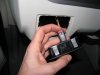
548 viewsNew light switch plugged in. See the red tab? It's in the 'unlocked' position...Mar 10, 2012
|
|

553 viewsNew fog-light equipped light switch. To operate simply push the dial in. Of course, you have to go to the *&$%! dealership to get it 'enabled'! Fogs automatically turn off when high beams are turned on, however, they remain on when using the "flash to pass" feature. Also, the 'system' remembers the position of the fogs so if you leave them on when you turn off the lights, they will automatically come back on when you turn the lights back on, including if you turn off the car.Mar 10, 2012
|
|
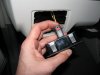
519 views...and now it's in the 'locked' position. I noticed many of the electrical connectors had some sort of lock on them. If you see a red tab/button then that's a connector lock. Mar 10, 2012
|
|
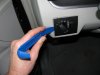
486 viewsHarbor Freight trim tool (nylon kit, non-scratching, less than $6) used to pry the light switch out. Very easy.Mar 10, 2012
|
|
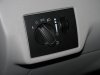
550 viewsStock, non-fog light switch.Mar 10, 2012
|
|
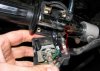
478 viewsWhen attaching the switch housing make sure to line up the housing pin to the hole in the handle bar.Jan 17, 2011
|
|

513 viewsThe complete assembly and all lubed up.Jan 17, 2011
|
|

487 viewsIn case you drop the parts, here's how the bits go together. The washer goes on the screw and then the screw goes into the lever and the bushing. The flat side of the bushing faces the thumb pad.Jan 17, 2011
|
|

457 viewsThe retaining plate on top of the sliding switch assembly.Jan 17, 2011
|
|

Turn signal switch505 viewsAll apart. Use white lithium on the left part of the switch, where the ball bearing rubs against the left wall. Use dielectric grease everywhere else.Jan 17, 2011
|
|

463 viewsHere's the high/low beam switch all buttoned up.Jan 17, 2011
|
|

446 viewsWhen putting the female part of the switch onto the male part, make sure the sliding contact doesn't catch on the electrical pads on the female piece. Use a scribe or small, flat screwdriver blade to hold it down as you slide the female part on.Jan 17, 2011
|
|

High/low beam switch472 viewsThe male part of the sliding switch for the high/low beam switch.Jan 17, 2011
|
|
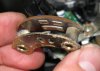
471 viewsThe female part of the sliding switch for the high/low beam switch. The long pad is the common power and the right pad is low beam, the left pad is high beam (as pictured here).Jan 17, 2011
|
|
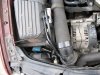
9780 viewsRight [passenger] side ballast/ignitor affixed to airbox top.Dec 05, 2010
|
|
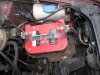
10853 viewsRelay zip-tied to hose clamp on left [driver] side. Ballast/ignitor is under the light housing, on the longitudinal bumper frame(?), sitting on a pad.Dec 05, 2010
|
|
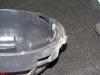
8769 viewsThe end result. Removed material should almost be flush with the rubber sealing ring. It's okay and recommended to have it a bit higher than the sealing ring, say, .5mm to 1mm.Dec 04, 2010
|
|
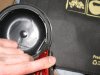
7782 viewsUse sharp blade to cut away the plastic and bevel the lip (remove sharp edges).Dec 04, 2010
|
|
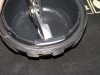
6780 viewsUse pliers to gently pull the section back. Start from one end and work your way to the other end. Dec 04, 2010
|
|
| 334 files on 17 page(s) |
 |
6 | |
|





