 Most viewed - Routan fog install Most viewed - Routan fog install |
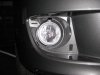
595 viewsRight fog light installed, front view. Note that adjusting screw is always at the top.
|
|
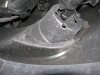
576 viewsBack side of the right fog light housing.
|
|
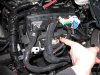
570 viewsHere's the plug to be modified. I found it unnecessary to remove ALL of the plugs per the instructions but you can. Remember to lift the red tab up to unlock the connector.
|
|
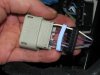
569 viewsSeparate the bottom plug (black) and the seal (light blue) within. You'll need to unwrap the black electrical tape on the wiring and throw it away. This will give you the needed slack in the wiring.
|
|
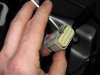
552 viewsNext, use a small screwdriver to lift the inner plug out. It only moves a few millimeters so you don't need to completely remove it!
|
|
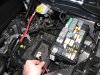
551 viewsTo make life MUCH easier just remove the battery. Also remove the positive power lead (red wire I'm holding) from the fuse box as well as the cover.
|
|
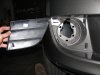
548 viewsStock fascia blank removed, right side. There are four hooks (one at each corner) that hold it in. After trying to be careful removing the right side, I said to hell with it and cut the tabs on the left side and threw away the blanks.
|
|
547 viewsFog wiring harness, right side, zip-tie location.
|
|
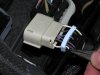
544 viewsUsing needle-nosed pliers remove the tits from inside the plug backing for the #16 and #11 holes. Don't remove the others as they fill the holes in the seal.
|
|
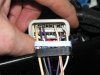
542 viewsWires snapped in place.
|
|
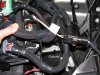
542 viewsAll wired up, fog harness plugged in & grounded, and the fuse box ready to be re-installed. I used a stock grounding point under the module per the Routan instructions. The Chrysler instructions show the ground attached to the negative battery cable.
|
|
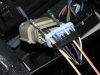
537 viewsFeed your pigtail wires in, white with yellow stripe on the left in the #16 hole and the white with orange stripe on the right in the #11 hole. The numbers are on the outside of the black plug.
|
|

525 viewsNew fog-light equipped light switch. To operate simply push the dial in. Of course, you have to go to the *&$%! dealership to get it 'enabled'! Fogs automatically turn off when high beams are turned on, however, they remain on when using the "flash to pass" feature. Also, the 'system' remembers the position of the fogs so if you leave them on when you turn off the lights, they will automatically come back on when you turn the lights back on, including if you turn off the car.
|
|
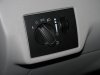
524 viewsStock, non-fog light switch.
|
|
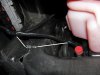
521 viewsWhere I zip-tied the left side of the harness. It comes down near the radiator over-flow container (the pink bottle). Don't use the aluminum object to the left, that's the heat-sink for the coils!
|
|
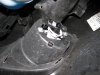
519 viewsRight fog bolted in.
|
|
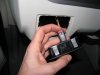
512 viewsNew light switch plugged in. See the red tab? It's in the 'unlocked' position...
|
|
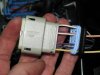
505 viewsHow it looks all wired up.
|
|
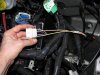
505 viewsHow it looks with the plug put all back together.
|
|
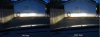
Fogs comparison with low beams on504 viewsLeft picture is with the fogs off -- Right picture is with the fogs on.
|
|
|
|




