 Most viewed - How-to Most viewed - How-to |
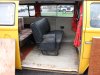
454 views2-person seat installed, yeay!!
|
|
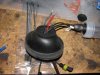
453 viewsHere's the rubber boot turned inside-out to get a better view of the inside of the gasket and the wires running through it.
|
|
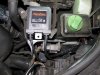
451 viewsLocation where I placed the left side electronics. Attached by using the supplied double-sided tape (strong stuff!).
|
|
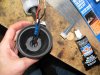
449 viewsViewing inside after applying the RTV.
|
|
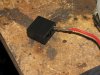
449 viewsMy kit came with holders that the wires clip into -- notice the orientation of the tang, it faces inside so it will lock in place.
|
|
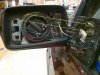
448 viewsTo replace the mirror, the guide pins (red) insert into the guide holes. The spring clips (blue) go into their respective cavities. They don't clip to anything. The tabs (yellow) on either side of the guide pins are what clip to the circular motor assembly in the mirror housing. I gently pushed the mirror in at the 1 o'clock position and pushed the rest of it in slowly in a clock-wise motion, listening/feeling each clip (yellow) catch the ring. Use leather gloves when installing so if it breaks you don't get cut. It takes firm, evenly distributed pressure to seat the mirror.
|
|

447 viewsBefore - Low beams and fogs, standing next to the B-pillar and looking forward.
|
|
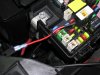
447 viewsWire passed through and new connector crimped on. Fuse tap is ready to replace the M6 20A fuse. I chose this one because it's powered only when the van is on. This fuse is for the #1 ignition switched power plug and rain sensor...our van doesn't have a rain sensor so it's got power to "spare"...heeheehee.
|
|
447 viewsRouting the power feed wire along an existing loom.
|
|

446 views...and after!
|
|
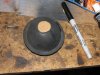
Through the rubber cover446 viewsThe following is the method I used on the left side after trying the right side by using the hard cover (described after this procedure). This is SO much easier to install and route wires, however, you MUST make sure you seal the gasket to the rubber boot so as to keep water out. I personally think this is the best way to do it with the kit I used.
I used a scrap piece of cardboard, cut in a 7/8" diameter circle, and traced the back side of the low beam rubber cover using a permanent marker.
|
|
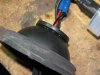
446 viewsWith the rubber cover turned inside-out, lift up the gasket and apply a continuous bead of silicone sealant a.k.a. RTV. This will insure a water-tight seal. Return the boot to its original state.
|
|

446 viewsWhen putting the female part of the switch onto the male part, make sure the sliding contact doesn't catch on the electrical pads on the female piece. Use a scribe or small, flat screwdriver blade to hold it down as you slide the female part on.
|
|
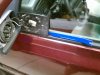
446 viewsMeh. Fuzzy picture of the mirror out and the plastic (nylon?) upholstery pry bar tool I used to remove the mirror. Came in a $5 kit from Harbor Freight. Since the mirror was cracked I could've used a steel clawed hammer to remove it.
|
|
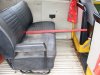
445 viewsThat's a yard stick. There's 15" of leg room there.
|
|

445 views
|
|
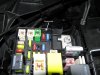
444 viewsGrommet installed. It's low enough that it will not interfere with the closing of the relay box lid. The fuse tap wire is 16 gauge so I used a grommet that had a 5/32" bore and 1/4" x 3/32" groove.
|
|

444 viewsLow beams on.
|
|
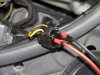
443 viewsThe bulb I originally had for the left side was bad so I got a replacement. This had the wires through it but no connector. Overall, it is better as there was no need for me to cut the wires, push them through the gasket, and butt-crimp them. For the connection, I pushed the spade connectors into the stock connector, dabbed liquid electrical "tape" around it to electrically insulate it as well as help hold the connectors, then wrapped the connector in electrical tape to further hold the connectors in. Not ideal at all but it works.
|
|
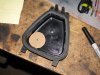
Through the hard cover443 viewsJust an FYI: I do NOT recommend this method! PITA if you have any issues. Go through the rubber cover.
Make a template that is 7/8" in diameter and trace with a permanent marker. Or put a nail or screw into the center of the circle and tap it so it leaves a dimple -- that's where you will drill. I used this location because it gave me the most slack in the wiring. The shop that does this recommended not putting the gasket in the center of the hard cover because there wouldn't be enough wiring slack.
|
|
| 334 files on 17 page(s) |
 |
14 | |
|





