 Most viewed - How-to Most viewed - How-to |
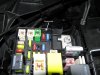
402 viewsGrommet installed. It's low enough that it will not interfere with the closing of the relay box lid. The fuse tap wire is 16 gauge so I used a grommet that had a 5/32" bore and 1/4" x 3/32" groove.
|
|

400 viewsWith low beams on. Very visible from the sides.
|
|
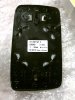
400 viewsThis is the back side (duh) of the HEATED, WIDE-ANGLE mirror for the left side-view mirror. This fits the North American vehicles perfectly! Remember to push the electrical connectors on/off several times so they make metal-to-metal contact and coat with a dielectric grease to slow corrosion.
|
|
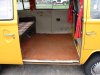
399 viewsThe floor. Slider door edge trim removed, folding table removed, forward carpet trim screws removed, and the cut made along the forward edge of the rear seat.
|
|
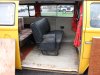
398 views2-person seat installed, yeay!!
|
|
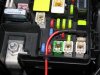
398 viewsFeed the power feed wire through the grommet and crimp on the connector. It should be snug in order to keep moisture and dust out.
|
|
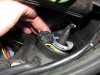
397 viewsWhatever plug you may have, simply push the connectors into the gap on the inward side of the light housing as this has a good gap to hold it out of the way.
|
|
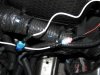
397 viewsJust a close-up of the power feed from the relay box tapped into the main power feed line that goes between the DRL LED array. The connector that's connecting white wire to red wire is what's feeding the DRL LED array.
|
|
397 viewsMeh. Fuzzy picture of the mirror out and the plastic (nylon?) upholstery pry bar tool I used to remove the mirror. Came in a $5 kit from Harbor Freight. Since the mirror was cracked I could've used a steel clawed hammer to remove it.
|
|
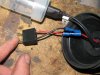
395 viewsBoth wires installed and ready to go.
|
|

395 viewsLow beams on.
|
|

395 viewsParking lights on.
|
|
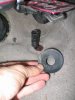
391 viewsThe round disc simply pulls off the accelerator pedal stop. Carpet can then be lifted over the stop.
|
|
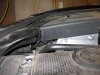
391 viewsThe cover back in place with room to spare. Keeps the engine bay looking tidy.
|
|
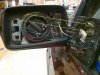
390 viewsTo replace the mirror, the guide pins (red) insert into the guide holes. The spring clips (blue) go into their respective cavities. They don't clip to anything. The tabs (yellow) on either side of the guide pins are what clip to the circular motor assembly in the mirror housing. I gently pushed the mirror in at the 1 o'clock position and pushed the rest of it in slowly in a clock-wise motion, listening/feeling each clip (yellow) catch the ring. Use leather gloves when installing so if it breaks you don't get cut. It takes firm, evenly distributed pressure to seat the mirror.
|
|
Before and after - against the garage door389 viewsBefore - Low beams.
|
|
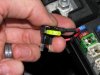
389 viewsStock 20A fuse removed and put in its new home.
|
|
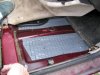
388 viewsSecond layer under right front carpet. Each cell is filled with sand. Pad is not bonded to the pan, it's simply laying there.
|
|

Before and after - street view387 viewsBefore - Low beams, standing next to the B-pillar and looking forward.
|
|
387 viewsLoosely held in.
|
|
| 334 files on 17 page(s) |
 |
15 | |
|





