 Most viewed - How-to Most viewed - How-to |
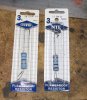
557 viewsHere are the resistors...beefy! They are 3 watts each. If you use a smaller wattage resistor they will get hot!! These will get warm but not hot. One is 1-ohm and the other 16-ohms. You wire them in series so you get a total of 17-ohms resistance. So you can use any combination of resistors you want, just shoot for 17-ohms. This puts my gas gauge needle right on the first white mark (left side) of the red Reserve section but the needle will go a little past the Full mark when the tank is topped up. Add more resistance to have the needle move down more but I'm guessing that a total of 20-ohms would be the max to use.
|
|
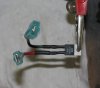
553 viewsWhat I did was take a short piece of wire and solder it to the pin on the VR and then shrink-wrapped it to keep it insulated. I then crimped a spade connector at the end of the wire. I have a quality (a.k.a. expensive) wire crimper so I know my crimps are good and will last. The right pin (red wire) of the VR connects to the right spade/tab on the fuel gauge. The left pin (black wire) is what gets the +12 volts. Note the spade connetors are being used -- the red wire has a female spade connector and connects to the fuel gauge while the black wire has a male spade connector and is connected to the +12 volt black wire from the gauge cluster.
|
|
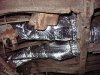
552 viewsSame duct, just took the picture from the left side of the Bus. Wrapping this duct is likely the most difficult of all the ducts so go slow and think. I know the pictures aren't a huge help but they give an idea. I'm sure there's more than one way to insulate this loop.
|
|
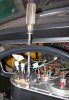
550 viewsI used a 7/16" socket -- none of my standard metric sockets fit! -- to carefully snug down the VR. I used the stock sheet metal screw from the original vibrator to secure the VR down. I also put a stainless steel split washer under the head of the screw to help lock the screw in place. Just in case...
|
|
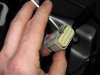
548 viewsNext, use a small screwdriver to lift the inner plug out. It only moves a few millimeters so you don't need to completely remove it!
|
|
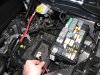
547 viewsTo make life MUCH easier just remove the battery. Also remove the positive power lead (red wire I'm holding) from the fuse box as well as the cover.
|
|
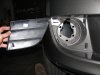
546 viewsStock fascia blank removed, right side. There are four hooks (one at each corner) that hold it in. After trying to be careful removing the right side, I said to hell with it and cut the tabs on the left side and threw away the blanks.
|
|
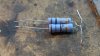
545 views(continued) The resistors came as a two-pack and were $1.25 each ($3.50 total for 4 resistors).
My "resistor pack". I wrapped the wires together so they will be in series...
|
|
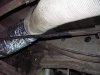
544 viewsWhere it ends. Give or take several inches :-)
|
|
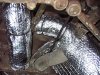
542 viewsThis next sequence shows how I insulated the loop that feeds the main cabin (as opposed to the section that feeds the driver's cabin). Put an 18" rectangle of the insulation above the duct, cut a slit, and wrap the duct that feeds the cabin. Thus, I worked backwards, insulating the right arm of the Y-duct last (if laying on your back and looking up).
|
|
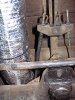
542 viewsUse a split-seam wire loom around the e-brake cable to keep it from rubbing a groove into the insulation.
|
|
542 viewsFog wiring harness, right side, zip-tie location.
|
|
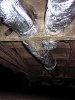
541 viewsThis is a view -- looking to the front of the Bus -- of the dreaded "Y" section where the heat exchanger ducts merge to the center tunnel duct.
|
|
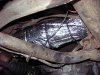
540 viewsThe right side fully wrapped with no problem. By the way, I'd recommend disconnecting the battery when working on the Y-section and back (like this part) as the insulation can conduct electricity and there is the starter chillin' out there, with it's +12v constant supply just waiting for some action ;-)
|
|
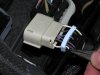
540 viewsUsing needle-nosed pliers remove the tits from inside the plug backing for the #16 and #11 holes. Don't remove the others as they fill the holes in the seal.
|
|
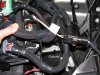
540 viewsAll wired up, fog harness plugged in & grounded, and the fuse box ready to be re-installed. I used a stock grounding point under the module per the Routan instructions. The Chrysler instructions show the ground attached to the negative battery cable.
|
|
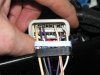
538 viewsWires snapped in place.
|
|

Reference: Rear gear box, rear side.536 viewsRear side of rear gear box. Steel roll pin is 3/16" diameter by 1-1/2" long. This is where the crank handle connects. The zinc washer is 2" diameter with a 3/4" hole and is a tad thicker than the original one (I couldn't find a thin one). The grommet between the washer and case is 1-5/8" outside diameter (OD) and 1/4" thick so it's just slightly thinner than the original one.
|
|
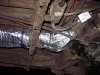
535 viewsView of the Y-section taken from the left side.
|
|
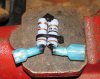
534 views...as can be seen here. I again used Plasti Dip to cover/protect the exposed wire. Use one female spade and one male spade connector. The female will be connected to the fuel gauge and the male will be connected to the brown with black stripe wire that goes to the fuel gauge sending unit.
|
|
| 334 files on 17 page(s) |
 |
6 | |
|





