 Most viewed - How-to Most viewed - How-to |
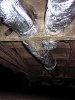
566 viewsThis is a view -- looking to the front of the Bus -- of the dreaded "Y" section where the heat exchanger ducts merge to the center tunnel duct.
|
|
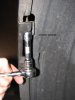
Mounting the LED array.566 viewsRemove the bolt that holds the bumper skin to the upper quarter panel (left side shown). It is above the two wheel well screws.
|
|

566 viewsIndexes all lined up. Ready for the case halves to be mated now.
|
|
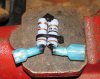
564 views...as can be seen here. I again used Plasti Dip to cover/protect the exposed wire. Use one female spade and one male spade connector. The female will be connected to the fuel gauge and the male will be connected to the brown with black stripe wire that goes to the fuel gauge sending unit.
|
|

563 viewsThe repaired pin in place. Thin plastic washer goes between the gear (front and rear gears) and the case.
|
|
562 views
|
|
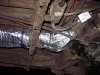
562 viewsView of the Y-section taken from the left side.
|
|
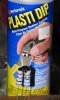
561 viewsI used "Plasti Dip" over the joint as it's an electrical insulator and will protect the joint. It's thick and simply paints on.
|
|

Night example.560 viewsNight time example of turn signals. Also on YouTube.com at http://www.youtube.com/watch?v=uAUECRUXoQo&list=UUhzs41pIUb_YugBfXOWUwvw&index=3&feature=plcp
|
|

555 viewsNew fog-light equipped light switch. To operate simply push the dial in. Of course, you have to go to the *&$%! dealership to get it 'enabled'! Fogs automatically turn off when high beams are turned on, however, they remain on when using the "flash to pass" feature. Also, the 'system' remembers the position of the fogs so if you leave them on when you turn off the lights, they will automatically come back on when you turn the lights back on, including if you turn off the car.
|
|
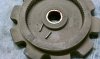
555 viewsAll the bearings are roller bearings and they are held in with the grease. When cleaning the grease and wiping the bearings they will most likely fall out so work over a soft, plush towel to keep them from bouncing away. Pack the bearings and cage surfaces with fresh grease and slip any fallen bearings back in. You should see no gaps between the bearings. Pack more grease in when they're all in and roll them around with your finger to spread the fresh grease around. It will hold them in there.
|
|

553 views
|
|
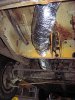
553 views...but now it is!
|
|
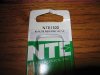
552 viewsHere's the VR (voltage regulator) information. This is what you need. I got mine for $3.15 at Norvac Electronics, Inc. You can also get it at Fry's. NTE1932, IC voltage regulator, positive 10-volts, 1-amp.
|
|
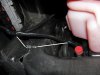
552 viewsWhere I zip-tied the left side of the harness. It comes down near the radiator over-flow container (the pink bottle). Don't use the aluminum object to the left, that's the heat-sink for the coils!
|
|
551 views
|
|
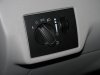
551 viewsStock, non-fog light switch.
|
|
551 viewsRight fog bolted in.
|
|
550 views
|
|
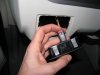
548 viewsNew light switch plugged in. See the red tab? It's in the 'unlocked' position...
|
|
| 334 files on 17 page(s) |
 |
7 | |
|





